
The Ultimate Guide to Mastering WordPress SEO
Search Engine Optimization (SEO) can feel like a daunting puzzle, especially when you are trying to get your WordPress website to rank on the first page of Google. However, with the right structure, tools, and understanding, driving organic traffic to your site becomes a clear, repeatable process. This guide will walk you through the essential steps to optimize your WordPress site for search engines.
Why SEO Matters for Your Website
Every day, billions of searches are performed on search engines. If your website isn’t optimized, you are leaving money and traffic on the table. Good SEO ensures that when a potential customer searches for a problem you solve, your website appears as the solution.
ELI5: What is SEO?
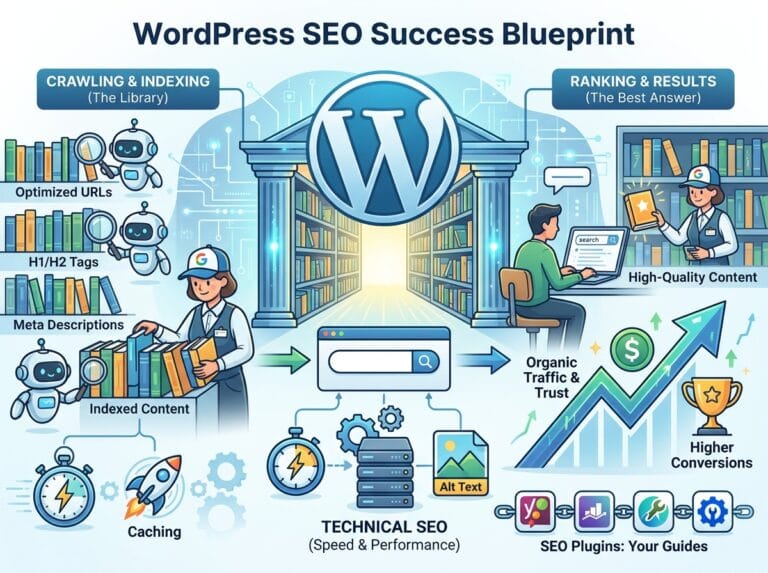
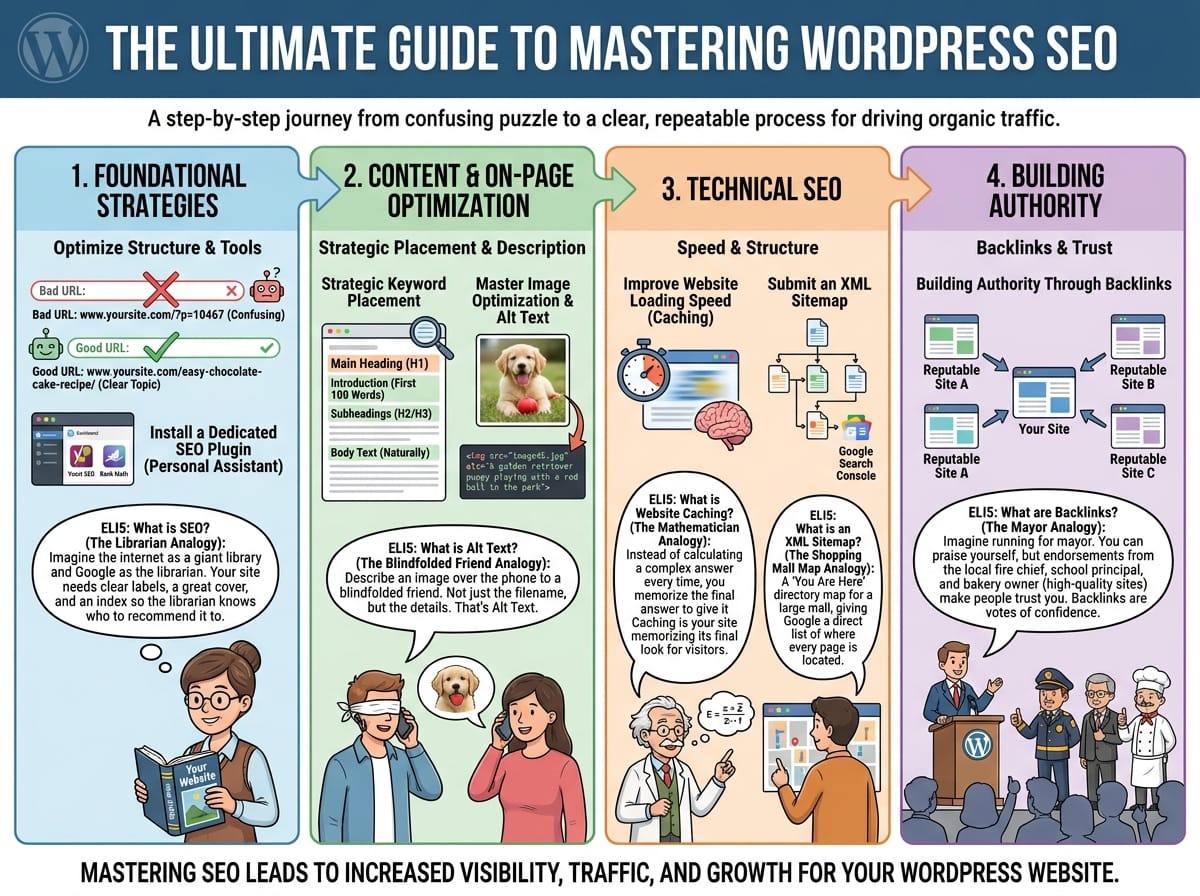
Imagine the internet is a gigantic, endless library with billions of books, and Google is the librarian. If your book (website) doesn’t have a title on the spine, an index, or a clear genre, the librarian won’t know who to recommend it to. SEO is the process of putting clear labels, a great cover, and a detailed index on your book so the librarian knows exactly when to hand it to a reader.
Essential WordPress SEO Strategies
1. Optimize Your Permalinks (URL Structure)
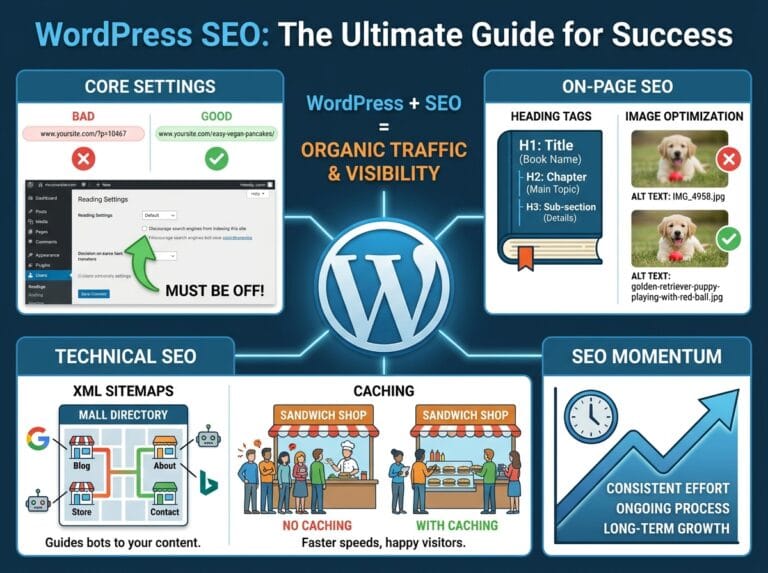
By default, WordPress sometimes creates messy URLs that mean nothing to search engines or human readers. Changing your permalink structure is one of the quickest SEO wins.
Example:
- Bad URL:
www.yoursite.com/?p=10467(Search engines have no idea what this page is about). - Good URL:
www.yoursite.com/easy-chocolate-cake-recipe/(Search engines immediately know the topic).
2. Install a Dedicated SEO Plugin
WordPress is SEO-friendly out of the box, but an SEO plugin acts as your personal assistant, making sure you don’t miss crucial details before you hit publish. Popular choices include Yoast SEO and Rank Math.
These plugins allow you to easily edit meta descriptions, analyze your keyword density, and generate sitemaps without needing to write a single line of code.
Content and On-Page Optimization
1. Strategic Keyword Placement
Keywords are the exact phrases people type into Google. Once you know what your audience is searching for, you need to place those keywords strategically throughout your post.
Ensure your primary keyword appears in:
- The main heading of your post.
- The first 100 words of your introduction.
- At least one H2 or H3 subheading.
- Naturally throughout the body text.
2. Master Image Optimization and Alt Text
Search engines cannot “see” images the way humans do. They rely on “Alt Text” (alternative text) to understand what an image is displaying.
ELI5: What is Alt Text?
Imagine you are on the phone with a friend who is blindfolded, and you need to describe a photograph to them. You wouldn’t just say “image45.jpg.” You would say, “A golden retriever puppy playing with a red ball in the park.” That exact description is what you should write in the Alt Text box for your images. It helps search engines “see” the photo.
Technical SEO for WordPress
1. Improve Your Website Loading Speed (Caching)
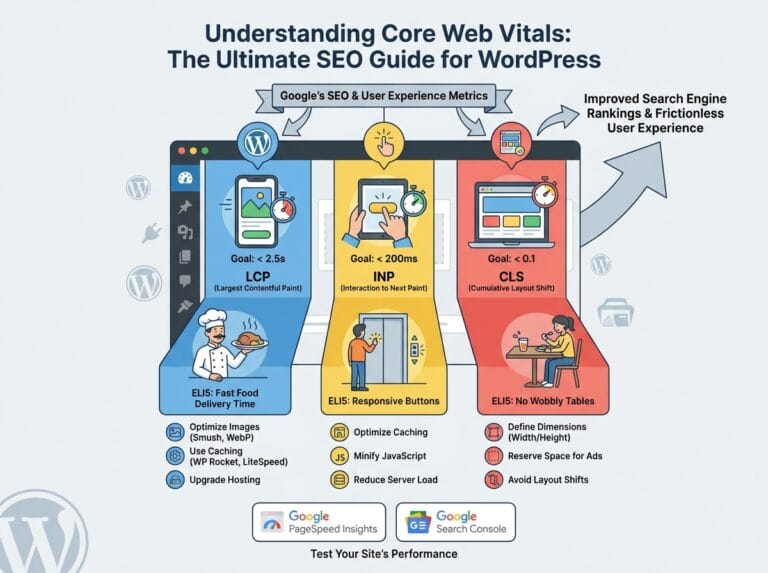
Google heavily favors websites that load fast. If your WordPress site takes more than three seconds to load, visitors will leave, and Google will drop your rankings.
ELI5: What is Website Caching?
Imagine you are a mathematician. If someone asks you, “What is 10,453 multiplied by 34?”, it might take you a few minutes to calculate the answer. But if people ask you that same question 100 times a day, you wouldn’t recalculate it every single time; you would just memorize the final answer and say it instantly. Caching is your website memorizing the final look of your web page so it can hand it to visitors instantly, rather than rebuilding it from scratch every time someone clicks a link.
2. Submit an XML Sitemap to Google Search Console
An XML sitemap is a file that lists every single page, post, and media file on your website. By submitting this file to Google Search Console, you are actively inviting Google to read your site.
ELI5: What is an XML Sitemap?
Think of an XML sitemap as the “You Are Here” directory map at a large shopping mall. Without the map, a shopper (Google) might wander around aimlessly and miss your store entirely. The sitemap gives Google a direct, organized list of exactly where every page is located.
Building Authority Through Backlinks
Even if your website is perfectly optimized and blazing fast, you still need authority. Search engines determine your authority based on how many other reputable websites link back to yours.
ELI5: What are Backlinks?
Imagine you are running for mayor. You can tell everyone how great you are (On-Page SEO), but people are skeptical. However, if the local fire chief, the beloved school principal, and the most popular bakery owner all publicly vouch for you (Backlinks), the townspeople will trust you. In the eyes of Google, every time a high-quality website links to your WordPress site, it is a “vote of confidence” that your content is trustworthy.