
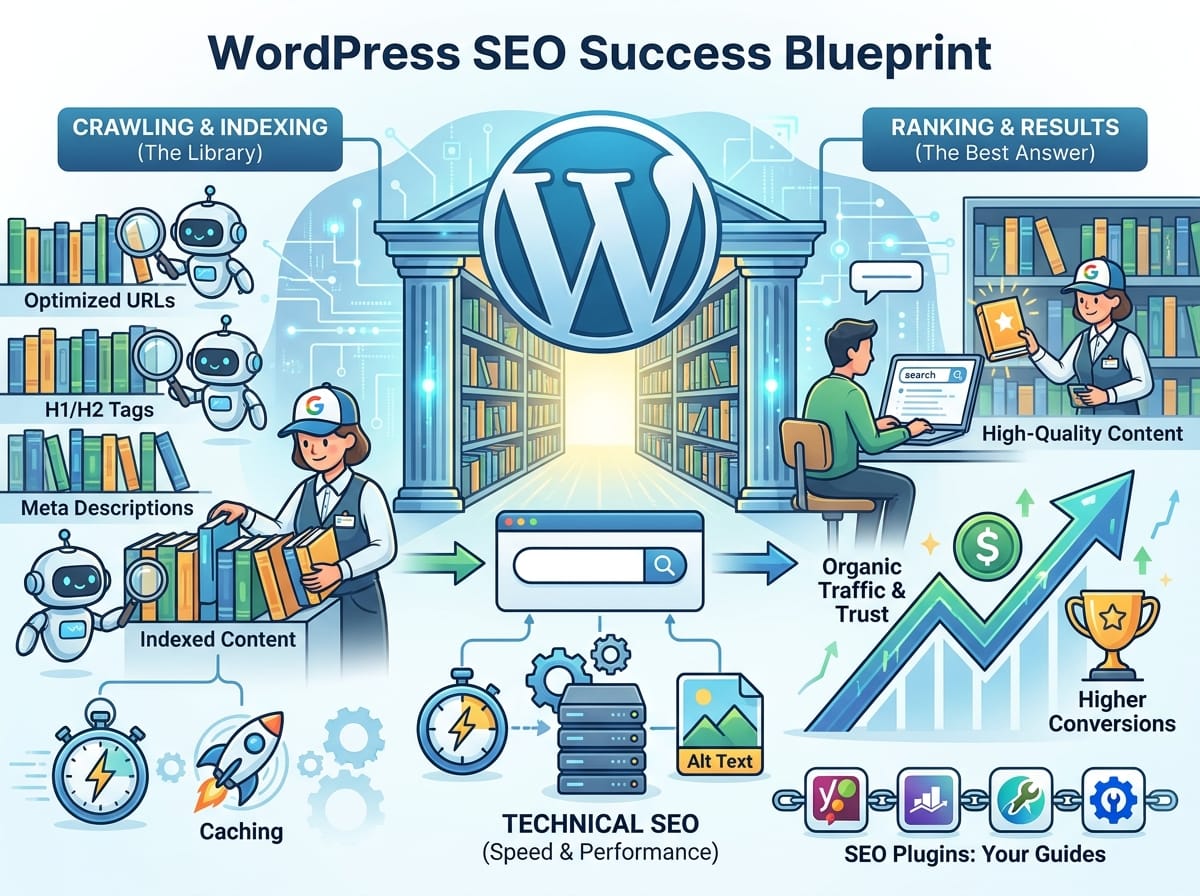
Why WordPress SEO is Crucial for Your Website’s Success
Having a beautiful WordPress website is a great start, but it won’t help your business if nobody can find it. Search Engine Optimization (SEO) is the process of improving your website so that search engines like Google can understand it better and show it to people searching for your products, services, or content. When you optimize your WordPress site correctly, you increase your organic traffic, build brand trust, and ultimately drive more conversions.
Understanding How Search Engines Work
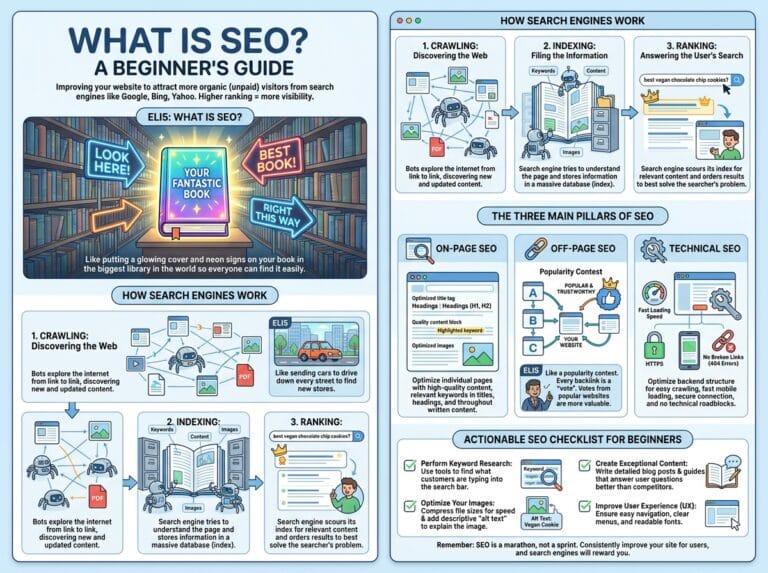
Before diving into specific WordPress settings, it is important to understand the basic mechanics of how Google and other search engines interact with your website. Search engines perform three main functions: crawling, indexing, and ranking.
ELI5: The Universal Library Analogy
Explain Like I’m 5 (ELI5): Imagine Google is a magical librarian trying to organize the biggest library in the universe, where millions of new pages are added every second.
- Crawling: The librarian sends out tiny robots to read the covers and tables of contents of every new book (website) they can find.
- Indexing: The librarian categorizes these books and puts them on the correct shelves so they can be found later. If your book is not on the shelf, nobody can check it out.
- Ranking: When a visitor asks the librarian a question (a search query), the librarian looks at all the books on that specific shelf and hands the visitor the single best, most helpful book first.
SEO is simply the process of making sure your “book” has a clear title, is put on the right shelf, and provides the best possible answer.
Essential WordPress SEO Strategies You Can Implement Today
WordPress is incredibly SEO-friendly right out of the box, but default settings are rarely enough to beat your competitors. Here are the core strategies to rank higher.
1. Optimize Your Permalinks (URLs)
Permalinks are the permanent URLs to your individual weblog posts, as well as categories and other lists of weblog postings. By default, WordPress might use a messy URL structure like yourwebsite.com/?p=123. This tells search engines absolutely nothing about your content.
Example: Instead of the default, change your settings to “Post Name” so your URL looks like yourwebsite.com/wordpress-seo-tips/. This includes your target keywords and makes it readable for both humans and search engines.
2. Master On-Page SEO Elements
On-page SEO refers to the practice of optimizing individual web pages in order to rank higher. This involves strategically placing your target keywords in areas that search engines value most.
- Title Tags: This is the clickable headline that appears in search results. Ensure your main keyword is placed near the beginning of the title.
- Header Tags (H1, H2, H3): Use headers to break up your content logically (just like this article). Your H1 should be your main title, while H2s and H3s should cover subtopics and secondary keywords.
- Meta Descriptions: This is the short summary beneath the title in search results. While not a direct ranking factor, a compelling description increases your Click-Through Rate (CTR).
3. Install a Dedicated SEO Plugin
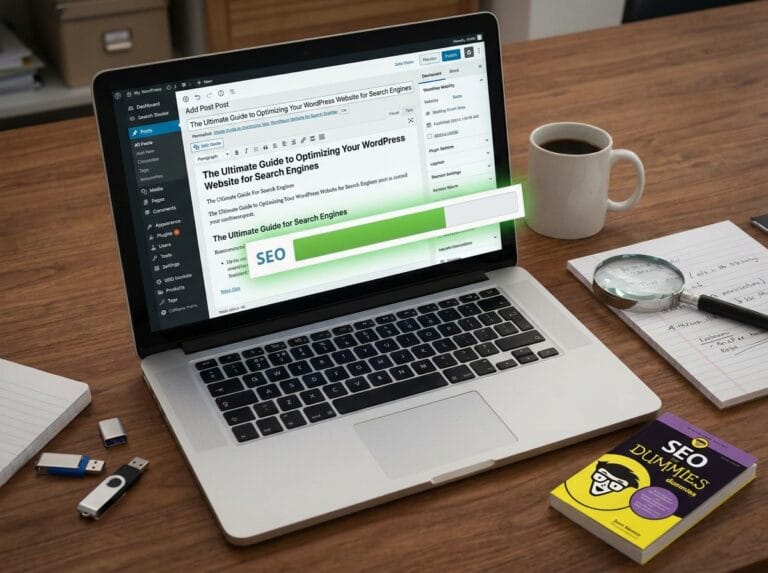
One of the biggest advantages of using WordPress is the vast ecosystem of plugins. An SEO plugin will act as a guide, providing you with a checklist to ensure your content is optimized before you hit publish. Popular examples include Yoast SEO, Rank Math, and All in One SEO. These tools allow you to easily edit meta descriptions, generate XML sitemaps, and analyze your keyword density.
Technical SEO: Speed and Performance
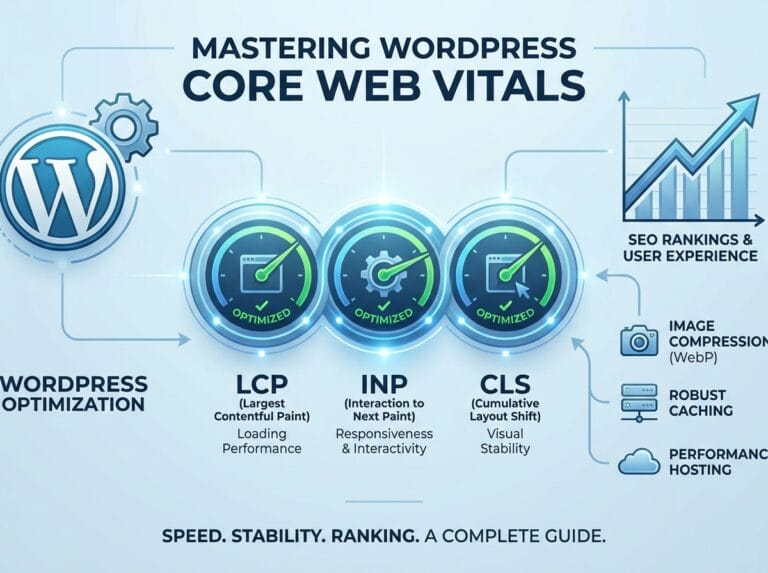
Google has made it very clear that page speed is a significant ranking factor. If your WordPress site takes too long to load, visitors will leave (increasing your bounce rate), and Google will lower your rankings.
ELI5: How Website Caching Works
ELI5: Imagine you are a math teacher. A student asks you, “What is 3,456 divided by 12?” You have to grab a piece of paper, do the long division, and figure out the answer is 288. That took you 30 seconds. If the next 50 students ask you the exact same question, you wouldn’t do the math on paper every single time. You would just remember the answer (288) and shout it out instantly.
Without caching, WordPress has to do complex “math” (pulling data from the server database) every time someone visits a page. Caching is like remembering the answer. A caching plugin saves a static HTML version of your page and hands it to the next visitor instantly, drastically improving your site speed.
Example: Use plugins like WP Rocket or W3 Total Cache to enable caching with just a few clicks.
Image Optimization
Large, heavy image files are the number one cause of slow WordPress websites. Before uploading a picture to your media library, you must compress it. You can use free web tools or WordPress plugins like Smush or ShortPixel to automatically reduce file sizes without losing visual quality. Furthermore, always add descriptive “Alt Text” to your images so search engines, which cannot “see” pictures, know what the image is about.
Creating High-Quality, SEO-Friendly Content
Technical SEO and optimized settings only build the foundation. To actually rank, you need high-quality content that satisfies user intent. Write comprehensive, engaging articles that directly answer the questions your target audience is searching for. Break up large walls of text with bullet points, bold text, and relevant H2 and H3 headings to keep readers engaged.
Start Climbing the Search Engine Rankings
WordPress SEO is not a one-time task; it is an ongoing strategy. By structuring your website logically, optimizing your URLs, speeding up your load times with caching, and consistently producing high-value content, you signal to search engines that your website is an authoritative resource in your niche. Start implementing these changes today, and watch your organic traffic grow.