
Have you ever clicked on a search result, only to stare at a blank white screen for what feels like an eternity? Chances are, you hit the “back” button before the site ever finished loading. In the modern digital world, patience is short, and website speed is everything. If you are running a website, learning how to improve your WordPress loading speed is one of the most important things you can do for your business.
In this guide, we will break down exactly why site speed matters, what might be slowing your website down, and the exact steps you can take to make your WordPress site lightning fast.
Why Does Website Speed Matter for SEO?
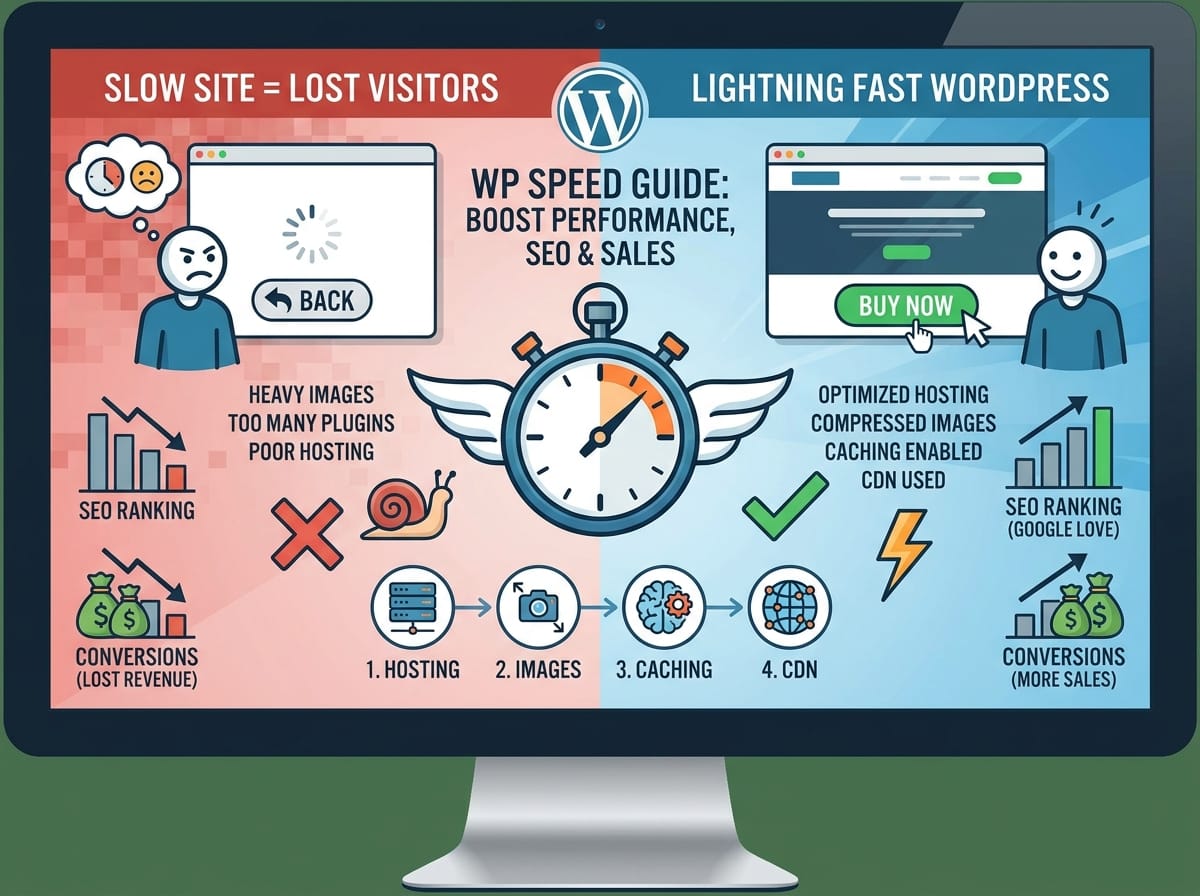
Search engines like Google have one main goal: to give users the best possible answers as quickly as possible. If Google sends a searcher to your website and it takes ten seconds to load, that searcher has a bad experience. Because Google wants to avoid giving its users a bad experience, it actively penalizes slow websites by pushing them further down in the search results.
Beyond Search Engine Optimization (SEO), speed directly impacts your wallet. Studies show that a single second delay in page load time can lead to a 7% reduction in conversions. If you run an online store making $1,000 a day, that one-second delay could cost you over $25,000 a year!
What Exactly is Slowing Down Your WordPress Site?
WordPress is a powerful platform, but out of the box, it isn’t always optimized for maximum performance. Let’s look at the most common culprits behind a sluggish website.
Heavy, Unoptimized Images
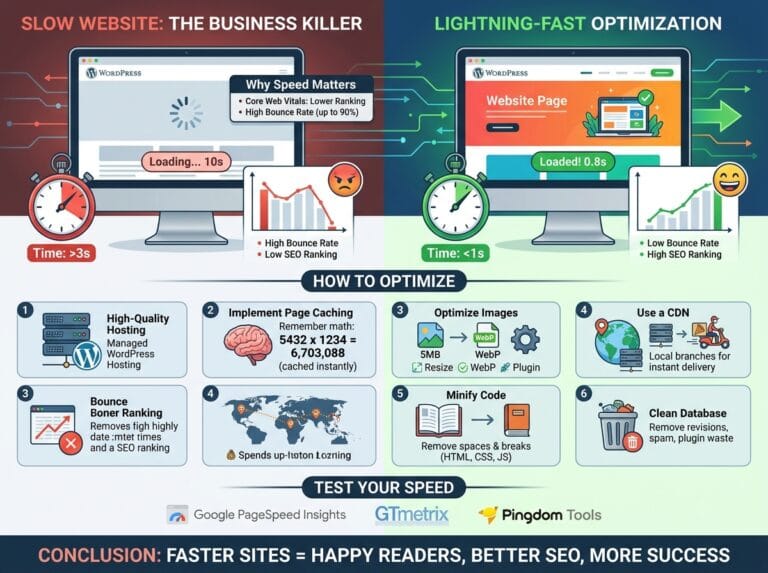
Modern smartphones take incredibly high-quality photos. While these look great, the files are massive. Uploading a 5MB image directly from your iPhone to your blog is like trying to shove a watermelon through a garden hose. It clogs up the entire loading process for your visitors.
Too Many Plugins
Plugins are like apps for your WordPress site. Just like installing 500 apps on your smartphone will drain its battery and make it run slow, installing too many plugins—especially poorly coded ones—will drag your website’s performance down to a crawl.
How to Speed Up Your WordPress Website
Now that we know why your site might be slow, let’s fix it. Here are the most effective, step-by-step strategies to optimize your WordPress site.
1. Choose a High-Quality Web Host
ELI5 (Explain Like I’m 5): Imagine your website is a house, and your web host is the land you built it on. If you build your house in a crowded, muddy swamp (cheap, shared hosting), getting in and out of the house will be slow and messy. If you build your house on a paved road in a great neighborhood (premium hosting), visitors can drive right up to your front door instantly.
Example: Instead of using ultra-cheap shared hosting that puts your site on a server with thousands of others, consider a managed WordPress host like WP Engine, Kinsta, or SiteGround. They use optimized servers built specifically to make WordPress run faster.
2. Compress and Resize Your Images
You should never upload an image to your site without optimizing it first. You want to reduce the file size without ruining the quality of the picture.
Example: If you have a banner image that is 4000 pixels wide, but your website’s text area is only 800 pixels wide, resize the image to 800 pixels first. Then, use a compression tool to shrink the file size.
Pro Tip: You can use free WordPress plugins like Smush or ShortPixel to automatically compress images the moment you upload them.
3. Install a Caching Plugin
Caching is one of the most powerful ways to speed up WordPress, but it can sound very technical. Let’s break it down.
ELI5 (Explain Like I’m 5): Imagine a friend asks you, “What is 143 multiplied by 45?” You grab a piece of paper, do the math, and after a minute, you say, “6,435.” Now, imagine five seconds later, another friend walks up and asks you the exact same math question. You don’t grab the paper and do the math all over again. You simply remember the answer you just figured out and say, “6,435” instantly.
A caching plugin does this for your website. Instead of your WordPress server building your web page from scratch every single time a new person visits, a caching plugin saves a “memory” (an HTML copy) of the finished page and hands it to the visitor instantly.
To implement this, simply install a highly-rated plugin like WP Rocket or W3 Total Cache and turn it on.
4. Use a Content Delivery Network (CDN)
Where your website visitors live compared to where your server is located matters.
ELI5 (Explain Like I’m 5): If your website’s server is a library located in New York, and a user from London wants to read your book (view your site), the book has to travel all the way across the ocean. That takes time. A CDN is like putting a copy of your book in local libraries all over the world. When the person in London wants to read it, they get it from the London library, not the New York one.
Services like Cloudflare offer free CDNs that you can connect to your WordPress site to ensure it loads fast for users no matter where they are on the globe.
Conclusion
Optimizing your WordPress site for speed doesn’t have to be a headache. By choosing a solid web host, keeping your images small, utilizing caching, and setting up a CDN, you will dramatically decrease your load times. Not only will your visitors thank you by staying on your site longer, but search engines will reward you with higher rankings and more traffic.