
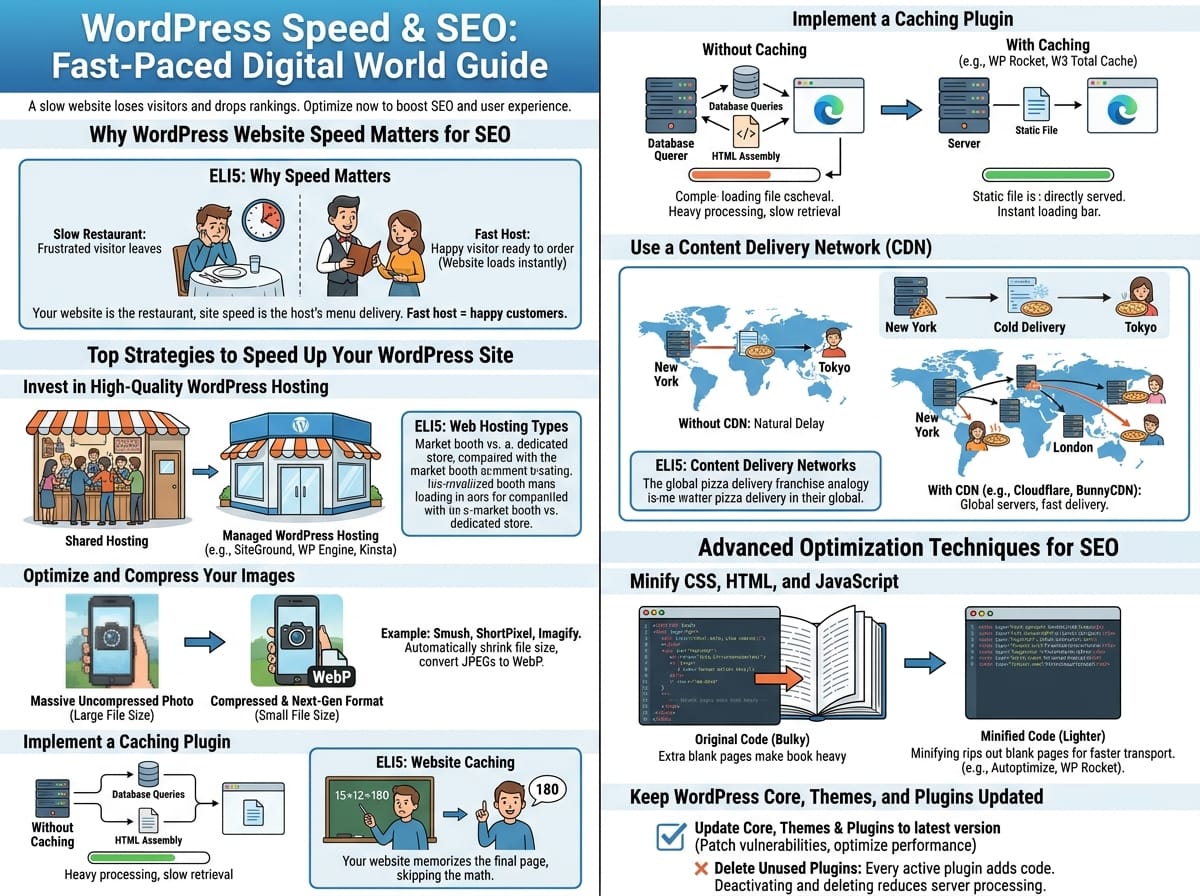
In today’s fast-paced digital world, a slow website is a guaranteed way to lose visitors and drop in search engine rankings. If you are running a WordPress site, optimizing your site speed is one of the most important steps you can take to boost your SEO and improve user experience. Let us examine the best strategies to make your WordPress website load faster and rank higher.
Why WordPress Website Speed Matters for SEO
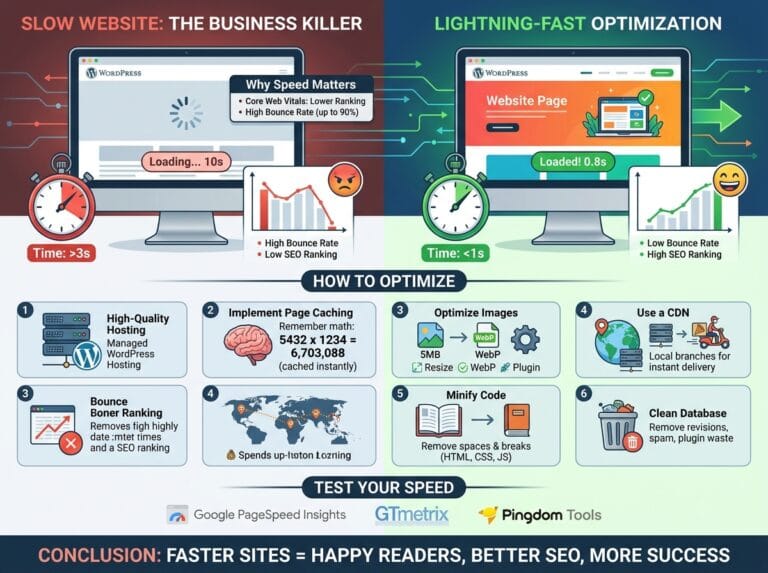
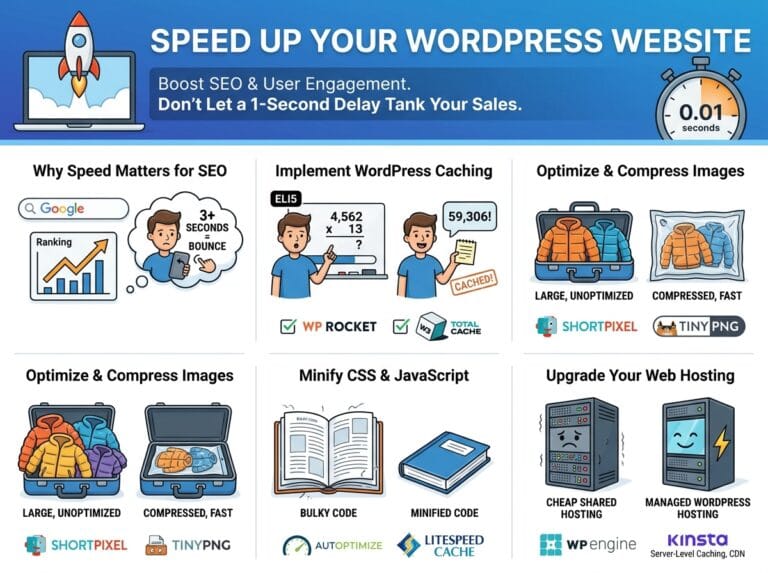
Search engines like Google use page speed as a primary ranking factor. A fast website tells search engine algorithms that you provide a positive user experience. Human visitors also demand fast load times. If your site takes more than three seconds to render, data shows that over half of your visitors will close the tab and move to a competitor’s site. This increases your bounce rate, which further harms your search rankings.
Imagine walking into a restaurant. If you have to wait 20 minutes just for the host to bring you a menu, you will get frustrated and leave to eat somewhere else. Your website is the restaurant, and site speed is how fast the host brings the menu. A fast host keeps customers happy and ready to order!
Top Strategies to Speed Up Your WordPress Site
Invest in High-Quality WordPress Hosting
Your web hosting provider is the foundation of your website. If your server is inherently slow, no amount of frontend optimization will save you. Avoid cheap, entry-level shared hosting plans if you expect steady traffic. Instead, migrate to managed WordPress hosting providers that utilize speed-optimized servers.
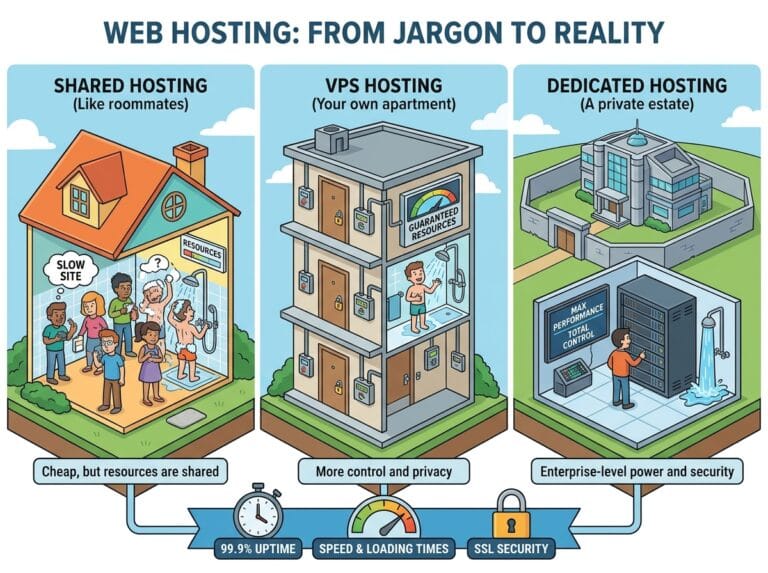
Think of web hosting like renting a storefront for a business. Shared hosting is like sharing a tiny booth at a crowded indoor market—if the vendor next to you gets too many customers, the crowd blocks your entrance. Managed hosting is like having your own dedicated standalone store with plenty of space and wide doors for everyone to enter easily.
Example: Providers like SiteGround, WP Engine, or Kinsta offer specialized server environments built specifically to make WordPress run as fast as possible.
Optimize and Compress Your Images
Large image files are the number one culprit behind slow-loading WordPress pages. Uploading a massive, uncompressed photograph straight from your smartphone will drastically increase the time it takes for your page to render. Always compress your images and serve them in next-generation formats.
Example: You can install WordPress plugins like Smush, ShortPixel, or Imagify. These tools automatically shrink the file size of your images during the upload process without losing visual quality. Furthermore, they can convert traditional JPEGs into WebP formats, which are significantly smaller.
Implement a Caching Plugin
Every time a user visits your WordPress site, your server has to retrieve data from the database and assemble HTML and CSS to display the page. This consumes time and server resources. A caching plugin creates a static, pre-loaded version of your site and serves that directly to visitors, bypassing the heavy processing steps.
Imagine someone asks you, “What is 15 multiplied by 12?” The first time, you have to do the complex math in your head to get 180. But if ten more people walk up and ask you the exact same question right after, you do not do the math again; you just remember the answer is 180 and say it instantly. Caching is your website memorizing the final page so it does not have to do the math every single time a visitor arrives.
Example: Popular and highly effective caching plugins include WP Rocket, W3 Total Cache, and LiteSpeed Cache.
Use a Content Delivery Network (CDN)
The physical distance between your website server and your visitor affects load times. If your server is located in New York, a visitor from Tokyo will experience a natural delay. A CDN stores copies of your website files on a massive network of servers distributed all around the globe.
Think of a CDN like a global pizza delivery franchise. If there is only one pizza kitchen in New York, a customer ordering from London will get a cold, delayed pizza. But if the franchise builds kitchens in every major city worldwide, everyone gets hot pizza delivered fast. A CDN puts your website’s files in a “local kitchen” right next to the visitor.
Example: Cloudflare and BunnyCDN are excellent services that integrate seamlessly with WordPress to serve your static files globally.
Advanced Optimization Techniques for SEO
Minify CSS, HTML, and JavaScript
Web developers write code with spaces, line breaks, and annotations to make it easy for humans to read and edit. However, web browsers do not require these spaces, and they actually make the file sizes larger. Minifying your code strips out all the unnecessary characters, resulting in a lighter, faster-loading website.
Imagine reading a book that has an extra blank page inserted between every single page of text. The book would be incredibly thick and heavy to carry! Minifying is like ripping out all those blank pages. The story remains exactly the same, but the book becomes much smaller and easier to transport.
Example: Plugins like Autoptimize or WP Rocket have built-in toggles that allow you to minify your HTML, CSS, and JS files with a single click.
Keep WordPress Core, Themes, and Plugins Updated
WordPress developers frequently release updates to patch security vulnerabilities and optimize performance. Running outdated software forces your site to rely on inefficient legacy code. Always ensure you are running the latest version of WordPress, alongside an actively maintained lightweight theme.
Example: Delete any plugins you are no longer using. Every active plugin adds extra code to your site. Deactivating and deleting unused plugins instantly reduces the amount of code your server needs to process.