
In the ever-evolving world of digital marketing, staying on top of Google’s ranking factors is essential for any website owner. One of the most significant updates in recent years revolves around user experience, specifically a set of metrics known as Core Web Vitals. If you want to rank higher on search engines, understanding and optimizing these metrics is no longer optional—it is mandatory.
This comprehensive guide will break down what these metrics are, why they matter for your search engine optimization (SEO) strategy, and how you can optimize your WordPress website to pass Google’s assessment with flying colors.
What Are Core Web Vitals?
Core Web Vitals are a specific set of factors that Google considers highly important in a webpage’s overall user experience. They are part of Google’s broader “Page Experience” score. Instead of just looking at the keywords on your page or the links pointing to your site, search engines now want to know: Is this website actually pleasant and easy for a human being to use?
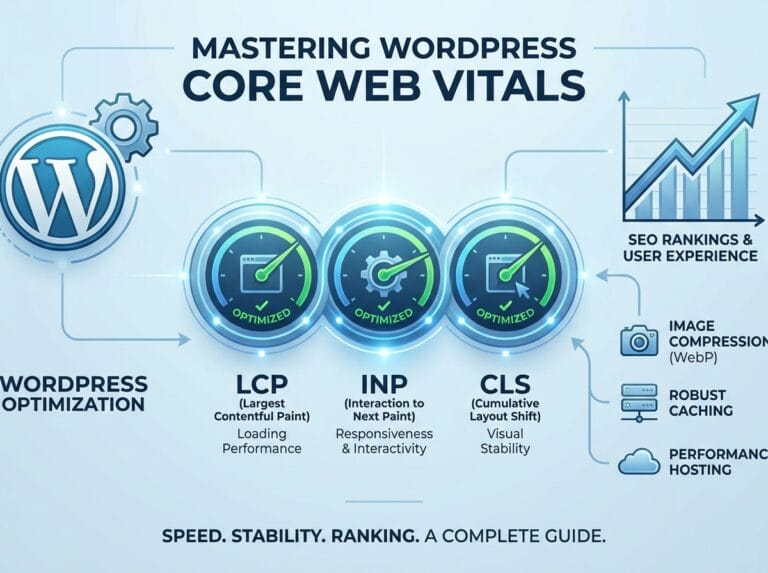
Google measures this by looking at three main areas: loading speed, interactivity, and visual stability.
The Three Pillars of Core Web Vitals
To optimize your site, you must first understand the three distinct metrics that make up the Core Web Vitals. Let’s break them down individually.
1. Largest Contentful Paint (LCP)
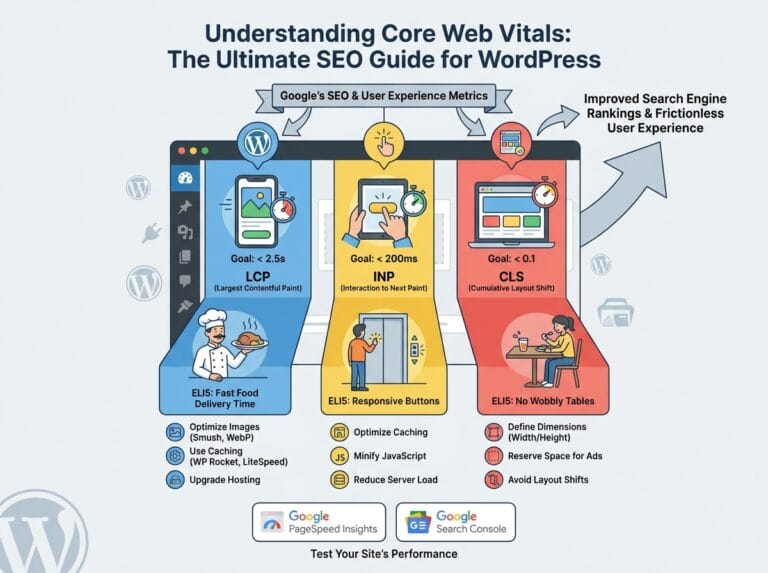
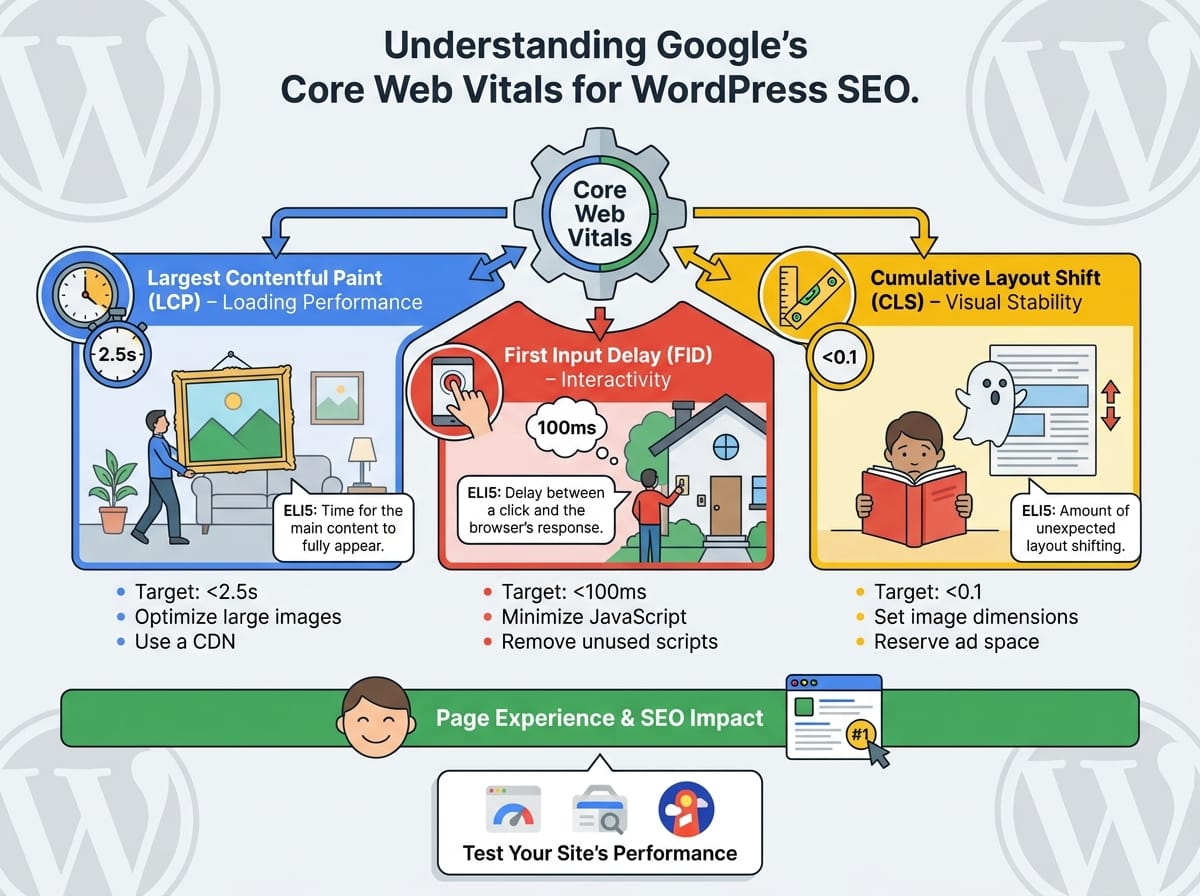
Largest Contentful Paint measures loading performance. Specifically, it tracks how long it takes for the largest piece of content (usually an image, video, or a large block of text) to become visible on the user’s screen.
ELI5 (Explain Like I’m 5): Imagine you order a massive custom painting for your living room. LCP is the exact amount of time it takes from the moment you place the order to the moment the delivery driver places the giant painting inside your house. If it takes too long, you get frustrated and might cancel the order. On a website, if the biggest piece of content takes too long to show up, the visitor gets frustrated and leaves.
Example: You click on a recipe blog. The LCP is the time it takes for the high-resolution photo of the finished chocolate cake at the top of the page to fully load. For good SEO, this should happen in under 2.5 seconds.
2. First Input Delay (FID)
First Input Delay measures interactivity. It calculates the time from when a user first interacts with a page to the time when the browser is actually able to begin processing that interaction.
ELI5 (Explain Like I’m 5): Imagine you walk up to a house and ring the doorbell. FID is the delay between the exact second you press the button and the moment you actually hear the “ding-dong” inside the house. If you press the button and hear nothing for 10 seconds, you assume the doorbell is broken and walk away. Websites are the same way; if a user clicks a button and nothing happens immediately, they assume the site is broken.
Example: You are filling out a contact form and you click the “Submit” button. The FID is the fraction of a second it takes for the website to register that click and start sending your message. Google recommends an FID of less than 100 milliseconds.
3. Cumulative Layout Shift (CLS)
Cumulative Layout Shift measures visual stability. It looks at how much the elements on your webpage jump around or shift while the page is loading.
ELI5 (Explain Like I’m 5): Imagine you are trying to read a book, but an invisible ghost keeps changing the size of the pictures on the page, forcing the text to constantly slide up and down while you are in the middle of a sentence. It would be incredibly annoying. On a website, this happens when elements load at different speeds and push other elements around.
Example: You are on a news website and you go to click on a fascinating headline. Just a fraction of a second before your finger taps the screen, a large advertisement finishes loading at the top of the page. This pushes the headline down, causing you to accidentally click the advertisement instead. To avoid this, Google expects a CLS score of less than 0.1.
Why These Metrics Matter for SEO
Search engines like Google have one primary goal: to provide the best possible results for their users. If Google recommends a website that takes 10 seconds to load, has broken buttons, and features text that jumps all over the screen, the user will blame Google for a bad experience.
By optimizing your website for Core Web Vitals, you are sending a strong signal to search engines that your site is high-quality, trustworthy, and user-friendly. When all else is equal between you and a competitor, the website with the better Page Experience score will rank higher in the search results.
How to Test Your Website’s Performance
Before you can fix your site, you need to know where you currently stand. You don’t need to guess how fast your website is; search engines provide exact tools to measure this.
Top Tools for Measuring Core Web Vitals
- Google PageSpeed Insights: This is the most popular tool. Simply paste your URL into the search bar, and Google will give you a score out of 100 for both mobile and desktop, along with specific LCP, FID, and CLS measurements.
- Google Search Console: If you have this set up for your WordPress site, there is a dedicated “Core Web Vitals” tab that shows you exactly which pages on your site are failing, needing improvement, or passing.
- Lighthouse: An automated tool built directly into the Google Chrome browser. You can access it by right-clicking any webpage, selecting “Inspect,” and navigating to the Lighthouse tab.
Practical Steps to Improve Your WordPress SEO and Speed
If your scores are lower than you would like, do not panic. WordPress is highly customizable, and there are several proven ways to boost your performance metrics.
Optimizing for LCP (Speeding up large content)
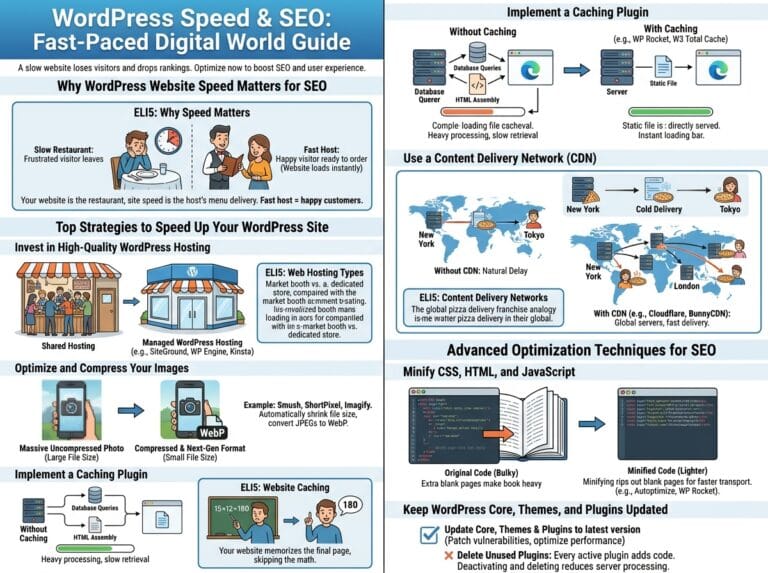
To improve your LCP, you need to ensure your server responds quickly and your images are optimized. Compress your large images using WordPress plugins before uploading them. Additionally, consider using a Content Delivery Network (CDN) to serve your website files from servers that are physically closer to your visitors.
Optimizing for FID (Improving Interactivity)
Poor FID is almost always caused by heavy JavaScript execution. When the browser is busy reading massive walls of code, it cannot respond to user clicks. You can improve this by removing unnecessary third-party scripts, deleting plugins you no longer use, and using a caching plugin to minify your JavaScript files.
Optimizing for CLS (Fixing visual jumps)
To fix layout shifts, always include exact width and height attributes for your images and videos in your HTML. This tells the browser exactly how much space to leave blank for the image while it is downloading, preventing the text from jumping around once the image finally appears. Also, reserve space for ad banners and embeds so they don’t push content down the page.
By focusing on these three core areas, you will drastically improve your user experience, decrease your bounce rate, and signal to search engines that your WordPress website deserves that coveted number-one spot in the search results.