
Understanding WordPress SEO and Its Importance
Search Engine Optimization (SEO) is the foundation of a successful website. For WordPress users, optimizing content ensures that search engines can easily read, understand, and rank your pages. When your website ranks higher, you receive more organic traffic, which leads to better visibility and growth.
ELI5 (Explain Like I’m 5) – SEO: Imagine the internet is a massive, incredibly messy library with billions of books but no librarian. SEO is the process of putting a bright, clear label on the spine of your book, placing it in the exact right aisle, and leaving a trail of breadcrumbs so the readers looking for your specific story can find it instantly.
Core WordPress Settings for Search Engine Success
Before writing content, your WordPress core settings must be configured correctly. These foundational settings act as the roadmap for search engine bots.
Optimizing Your Permalinks
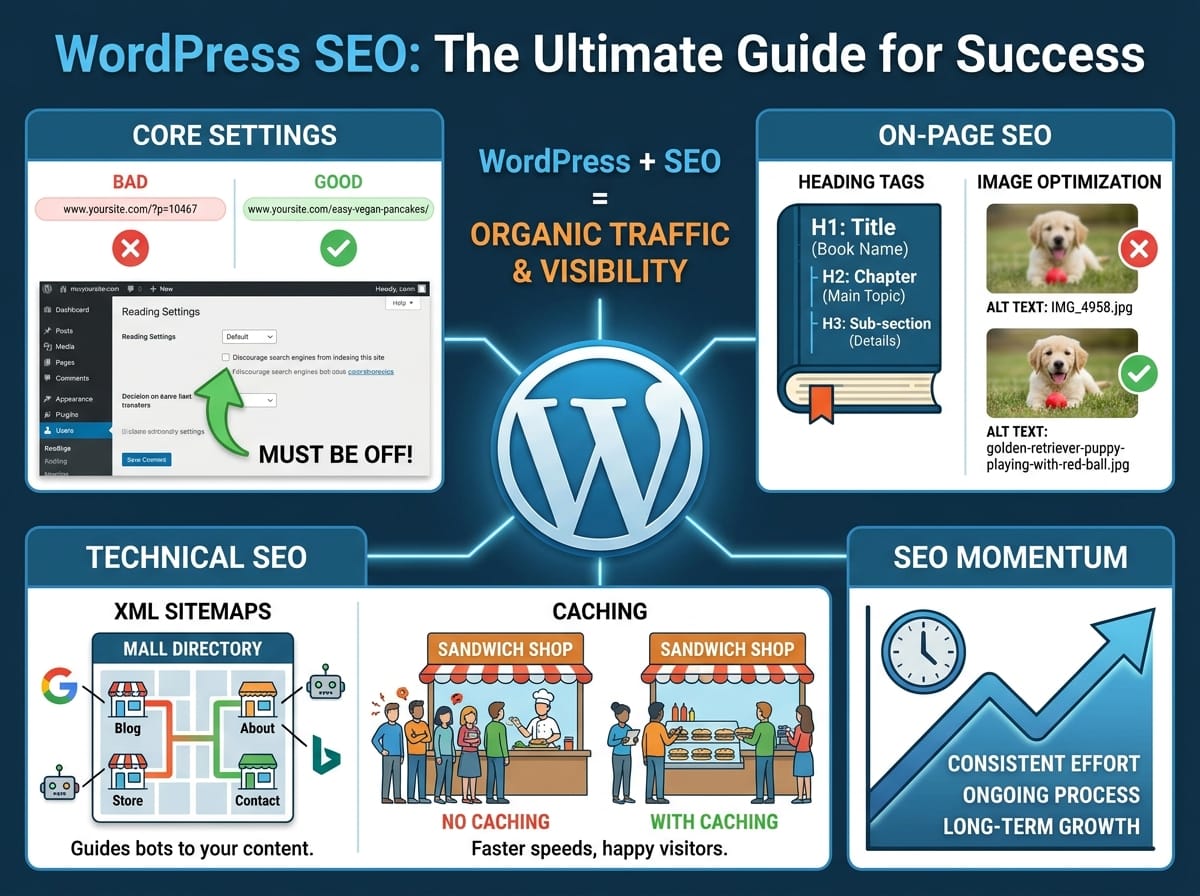
Permalinks are the permanent URLs to your individual posts and pages. By default, WordPress sometimes uses a plain, number-based structure that gives no context about the page content.
Example:
- Bad Structure:
www.yoursite.com/?p=10467 - SEO-Friendly Structure:
www.yoursite.com/easy-vegan-pancakes/
The SEO-friendly structure uses exact keywords. Search engines read these words to understand the topic of the page before they even scan the content.
Search Engine Visibility Settings
WordPress has a built-in feature designed to hide your site while it is under construction. It is crucial to ensure this is turned off once your site goes live. Navigate to your reading settings and verify that the “Discourage search engines from indexing this site” box is unchecked. If this remains checked, search engines will completely ignore your website.
On-Page SEO Essentials
On-page SEO refers to the optimizations you apply directly within your blog posts and pages. This involves structuring your content so that it is easily digestible for both human readers and search engine algorithms.
Proper Use of Heading Tags
Heading tags structure your content hierarchically. They range from H1 to H6. Your post title is automatically an H1, meaning you should only use H2 and H3 tags within the body of your content.
ELI5 – Heading Tags: Think of your blog post as a textbook. The H1 is the title of the book. The H2s are the main chapters. The H3s are the sub-sections within those chapters. You would never put a chapter title inside a tiny sub-section, and you must follow that same logical order for search engines.
Image Optimization and Alt Text
Search engines cannot “see” images the way humans do. They rely on Alternative Text (Alt Text) to understand what an image displays. Providing descriptive Alt Text improves accessibility for visually impaired users and gives search engines more context about your content.
Example:
- Poor Alt Text:
IMG_4958.jpg - Good Alt Text:
golden-retriever-puppy-playing-with-red-ball.jpg
Technical SEO Made Simple
Technical SEO happens behind the scenes. It focuses on the website’s performance and how easily search engines can crawl its architecture.
Generating XML Sitemaps
An XML sitemap is a file that lists every single page, post, and media item on your website. Plugins like Yoast or RankMath generate these automatically.
ELI5 – XML Sitemaps: Imagine an enormous shopping mall. When you walk in, there is a giant directory map showing exactly where every store is located. An XML sitemap is that mall directory, but built specifically for Google and Bing so they do not get lost trying to find your newest blog post.
Caching for Faster Page Speeds
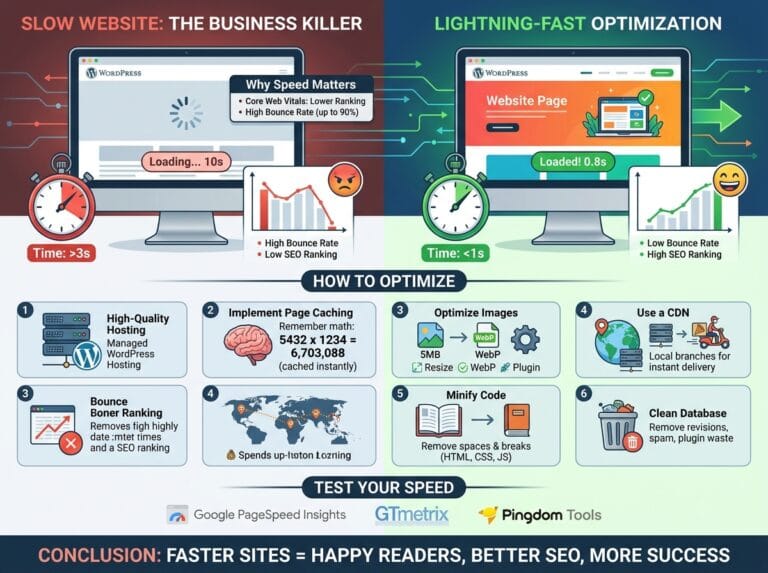
Website speed is a major ranking factor. Slow sites frustrate users, leading them to click away quickly. Caching solves this problem by creating static versions of your pages.
ELI5 – Caching: Let us say you run a sandwich shop. If you make every sandwich completely from scratch only after a customer orders, the line will get very long. Caching is like making your 50 most popular sandwiches before the lunch rush. When a customer orders, you hand it to them instantly. A caching plugin serves a pre-made version of your website to visitors, making it load in a fraction of a second.
Maintaining SEO Momentum
SEO is an ongoing process rather than a one-time setup. By consistently structuring your headings, writing clear alt text, and maintaining fast load times, your WordPress site will build authority. Implement these practices on every new post to establish a strong, search-engine-friendly foundation that drives long-term organic traffic.