
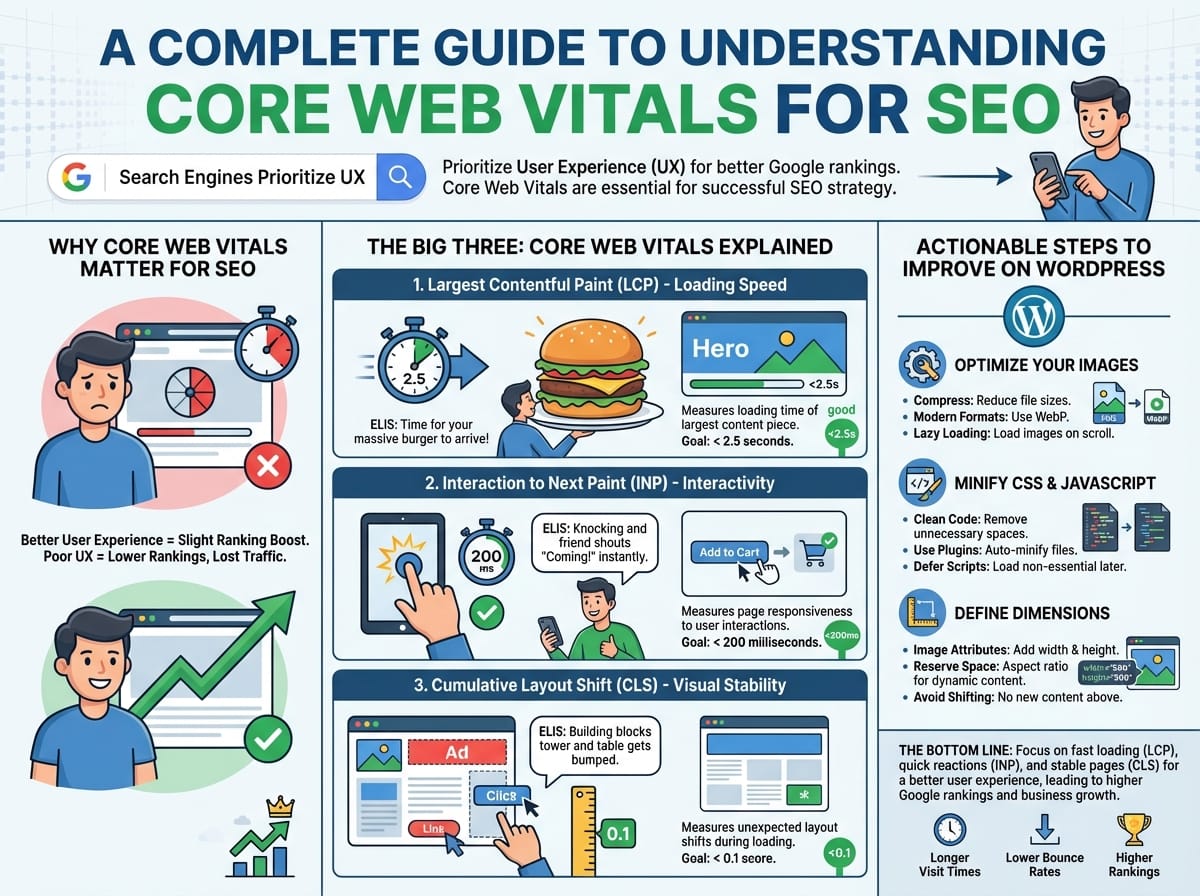
A Complete Guide to Understanding Core Web Vitals for SEO
If you want your website to rank at the top of Google search results, creating great content is no longer enough. Search engines now heavily prioritize user experience (UX). To measure this, Google introduced a specific set of metrics known as Core Web Vitals. Understanding and optimizing these metrics is a crucial step in any successful SEO strategy.
In this guide, we will break down exactly what these metrics are, why search engines care about them, and how you can optimize your WordPress website to pass Google’s tests.
Why Core Web Vitals Matter for SEO
Google’s primary goal is to provide the best possible results for its users. If a user clicks on a search result and the page takes ten seconds to load, or the buttons do not work properly, the user gets frustrated and leaves. To prevent this, Google uses Core Web Vitals as an official ranking factor.
Websites that pass the Core Web Vitals assessment are rewarded with a slight ranking boost. Conversely, websites with poor scores may see their rankings drop, losing valuable organic traffic to faster, smoother competitors.
The Big Three: Core Web Vitals Explained
Google currently measures three main vitals. Each one focuses on a distinct aspect of the user experience: loading speed, interactivity, and visual stability.
1. Largest Contentful Paint (LCP) – Loading Speed
Largest Contentful Paint (LCP) measures how long it takes for the largest piece of content on your screen (usually a hero image, a video, or a large block of text) to fully render and become visible to the user. Google recommends an LCP of 2.5 seconds or less.
Example: If you run a recipe blog, the LCP is usually the large, mouth-watering image of the finished dish at the top of your post. If that image takes 5 seconds to appear, your LCP score will be marked as “Poor.”
ELI5 (Explain Like I’m 5): Imagine you sit down at a restaurant and order a massive burger. LCP is the exact amount of time it takes from the moment you sit down to the moment the waiter places that massive burger right in front of you. If it takes too long, you get hungry and angry!
2. Interaction to Next Paint (INP) – Interactivity
Note: INP recently replaced First Input Delay (FID) as the primary interactivity metric.
Interaction to Next Paint (INP) measures a page’s overall responsiveness to user interactions. It calculates the delay between a user clicking, tapping, or typing, and the website visually responding to that action. A good INP score is 200 milliseconds or less.
Example: A user is shopping on your e-commerce site and clicks the “Add to Cart” button. If the website freezes for a full second before the shopping cart icon updates with a “1”, your site has a poor INP score.
ELI5 (Explain Like I’m 5): Imagine knocking on your friend’s front door. INP is how fast your friend shouts “Coming!” or opens the door. If you knock and hear absolute silence for a whole minute before the door opens, you might think no one is home and walk away.
3. Cumulative Layout Shift (CLS) – Visual Stability
Cumulative Layout Shift (CLS) measures unexpected shifts in the layout of your webpage as it loads. Have you ever gone to click a link, but right before you clicked, an ad loaded, pushed the link down, and made you click the wrong thing? That is a layout shift. Google wants your CLS score to be 0.1 or less.
Example: You are reading an article on your phone. Suddenly, a large banner ad loads at the top of the screen, pushing all the text down. You lose your place and have to scroll back up to find where you were reading.
ELI5 (Explain Like I’m 5): Imagine you are building a tall tower out of blocks. Just as you are about to carefully place the final block on top, someone bumps the table, shifting the tower, and you drop the block in the wrong spot. CLS measures how “bumpy” your website’s table is while it loads.
Actionable Steps to Improve Core Web Vitals on WordPress
Now that you understand what these metrics mean, here are the most effective ways to optimize your WordPress site for better SEO rankings.
Optimize Your Images for Faster LCP
Large, unoptimized images are the number one cause of poor LCP scores. To fix this:
- Compress images: Use plugins to reduce image file sizes without losing quality.
- Use modern formats: Serve your images in next-generation formats like WebP instead of traditional JPEGs or PNGs.
- Implement Lazy Loading: Ensure images further down the page only load when the user scrolls to them.
Minify CSS and JavaScript for Better INP
Heavy, bloated code can cause the browser to freeze, resulting in a terrible INP score. You can clean up your code by minifying it. Minification strips out unnecessary spaces, comments, and line breaks in your website’s code to make the files lighter.
Use a WordPress caching plugin to automatically minify your CSS and JavaScript files and defer non-essential scripts until after the main page has loaded.
Define Image and Ad Dimensions to Fix CLS
To prevent the frustrating layout shifts that ruin your CLS score, you need to tell the browser exactly how much space an element will take up before it even loads.
- Always include
widthandheightattributes on your image tags. - Reserve space for dynamic content like ads, email opt-ins, or embedded videos using CSS aspect ratio boxes.
- Avoid injecting new content above existing content unless it is in direct response to a user action (like clicking a drop-down menu).
The Bottom Line for Your SEO Strategy
Optimizing your website for Google’s Core Web Vitals is no longer optional if you want to dominate search engine rankings. By focusing on how fast your main content loads (LCP), how quickly your site reacts to clicks (INP), and ensuring your pages don’t jump around (CLS), you create a significantly better user experience. A better user experience leads to longer visit times, lower bounce rates, and ultimately, higher positions on Google.